Whisky
The free app everyone loved is no longer maintained. When games break, nobody's fixing them.
Bourbon 26 Built for Apple Silicon
A native Mac app that installs Wine, DXVK, MoltenVK and Steam for you — then gets out of the way. One button. No Terminal.
Buy once · no subscription · Apple Silicon · macOS 14 Sonoma or later
The setup maze
Until now, running Windows games on a Mac meant picking your poison.
The free app everyone loved is no longer maintained. When games break, nobody's fixing them.
Powerful, but it's Terminal commands, Homebrew and manual configuration — built for porting engineers.
Genuinely good software, but renewals never stop — and it still won't set Steam up for you.
Runs an entire copy of Windows: a subscription, a Windows licence, and a full VM's overhead.
Picks up where Whisky left off — and adds the thing the free tools never did: Steam, installed and working out of the box.
One button
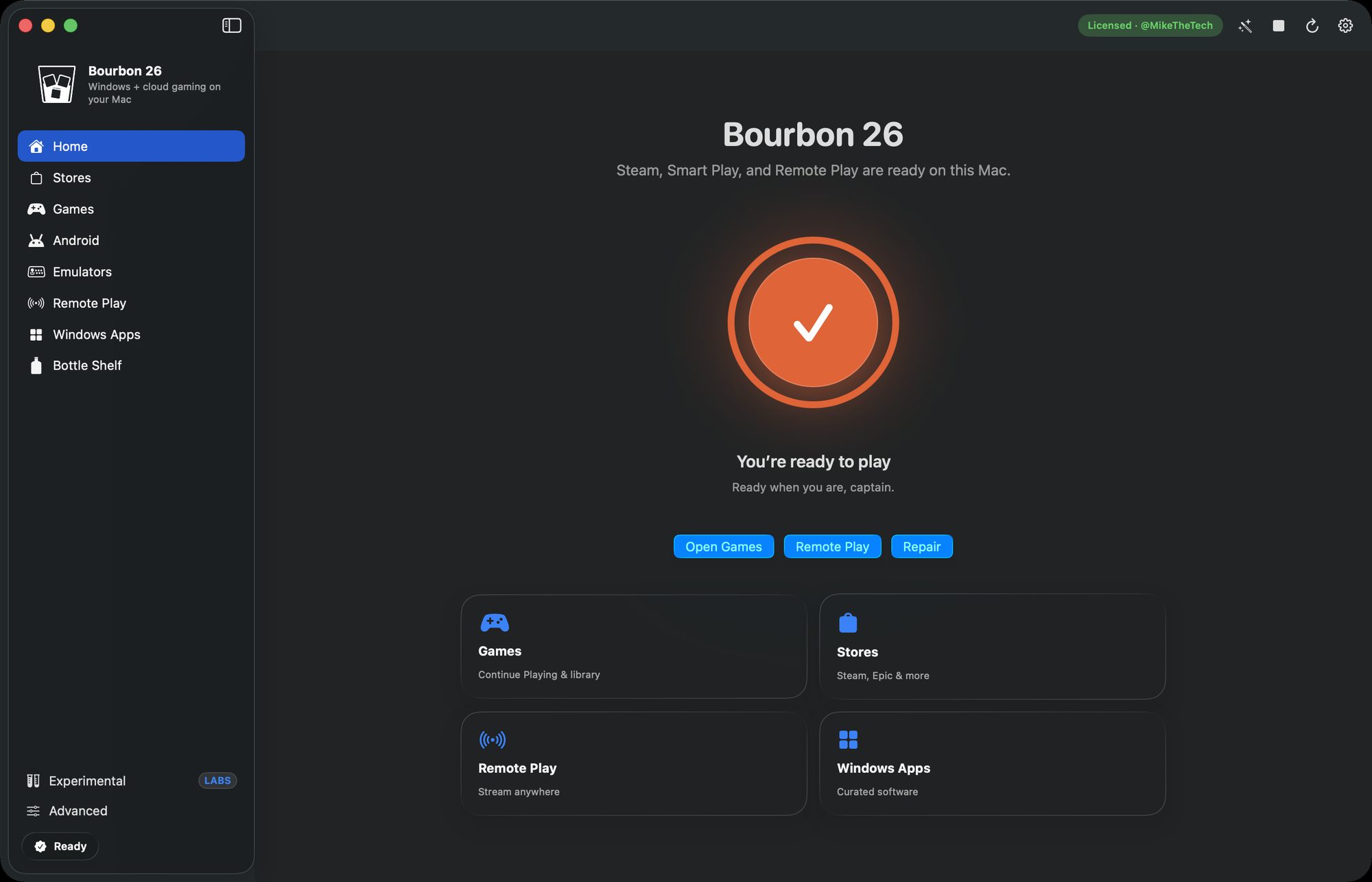
Open Bourbon, glance at the Permissions panel, and press Set Up Everything. Fourteen components — both Wine runtimes, every graphics translation layer, the Steam client and its shim — installed and wired up in one pass while you watch the checkmarks land.
Nothing is hidden. Every component gets its own status row, so you can install, repair, update, disable or remove any single piece later without starting over.
What's inside
A real SwiftUI Mac app — not a Terminal script, not an Electron wrapper.
Rosetta 2, Homebrew, MoltenVK, Wine Staging 11, DXVK and Steam installed and configured in a single guided pass.
Sign in, browse and download your own library exactly as you would on a PC. Install, launch, stop and repair Steam from inside the app.
Smart Play assigns every game a pre-baked runtime preset — DXVK, WineD3D, VKD3D, DXMT, GPTK or native macOS — so you never hand-tune a prefix.
Xbox Cloud, GeForce NOW, Amazon Luna and Boosteroid in clean native windows — plus Chiaki for PS4 and PS5 Remote Play, and Moonlight to stream from your own PC, Linux box or Mac. No Wine in the path at all.
Download a .exe or .msi in Safari, then run it through Bourbon — or right-click in Finder and choose Open With → Bourbon.
Map mounted volumes into Wine drive letters so Steam can build libraries on external storage. Move the data folder whenever you like.
Apple's DirectX-to-Metal path, one click away. Bourbon installs and updates Game Porting Toolkit 3 through Homebrew, and can import Apple's experimental GPTK 4 beta DMG when you want to try it.
Two Wine runtimes side by side: Wine Staging 11 with DXVK for Steam and modern DirectX, plus a CrossOver-source build in its own prefix for fragile 32-bit Windows tools.
Before any long install, Bourbon checks admin access, Homebrew folder ownership, its own data folder and the Command Line Tools — and every failing row gets a fix button instead of a cryptic error.
Smart Play
Each game is matched to a named runtime preset. Smart Play picks one automatically — you can always pour a different one.
DXVK · 90 Proof
Most DirectX 9–11 & Vulkan games
Native · macOS
Mac-native Steam games
WineD3D · Aged
Source & older DirectX 9 games
VKD3D · 120
Modern DirectX 12 games
DXMT · Full Proof
DirectX 11 games that dislike DXVK
D3DMetal · GPTK
DirectX 11/12 via Apple GPTK
DXVK · Neat
Non-Steam & installer games
CrossOver · 32-bit
Fragile 32-bit Windows tools
Titles in the compatibility database
Runtime bottles on the shelf
Renewals, ever
The tour
Every screen, shot on an Apple Silicon Mac. Click any one to open it full size.
Beyond Windows games
Bourbon 26 isn't only a Wine front-end. The sidebar that holds your Steam library also runs Android devices and console emulators — each one downloaded from its own source when you ask for it, and never bundled.
Bourbon Android runs Google's official Android Emulator on an official Google Play system image. Every device is tuned to your Mac automatically — cores, memory and panel size — and its graphics run on Metal through MoltenVK, the same layer Bourbon already uses for Windows games.
Seven device types. Start with the tablet: it matches your Mac's display shape and gets Android's large-screen interface.
Nothing is bundled. Bourbon downloads about 2.5 GB from Google and needs roughly 20 GB of free space, and installing means accepting Google's Android SDK Terms. Android is still marked experimental in the app.
The Emulators page installs well-known console emulators from each project's own release channel through Homebrew, and they run as native Mac apps. Install one and its matching bottle on the Bottle Shelf is ready to use; multi-system front-ends sit on the same page for when one install should cover many consoles.
Drop your own ROMs into the folder for their system and they appear in Bourbon with their proper titles and box art from the Libretro database, ready to open in the right emulator.
Bring your own games. Bourbon never downloads, bundles or hosts ROMs, disc images, BIOS files or console firmware — and an emulator that needs a BIOS says so before you install it.
Emulators are independent projects under their own licences. Console names are trademarks of their respective owners.
Virtual machines
Some software simply needs the real thing. OS Experience runs a complete operating system in a virtual machine that Bourbon installs and manages for you. It isn't switched on in shipping builds yet — it's coming in a future release.
Virtual machine · Windows
A full Windows 11 ARM64 desktop, hosted by UTM and QEMU with Apple's hypervisor acceleration, for the applications that only exist on Windows.
Virtual machine · Steam appliance
PyroSoft's own ARM64 Linux Steam appliance: Steam, Proton, FEX and Gamescope in a prebuilt guest. Bourbon manages the verified image, the guest setup and the Steam session for you.
Early versions of both machines sit on Bourbon's Experimental page, switched off by default. They're there for testing ahead of an official release: they can change or be removed in any build, and they aren't meant for your day-to-day setup. Bourbon OS setup stays locked until a validated image ships — there's no download and no date yet.
Both run on stock, Apple-notarized UTM, which Bourbon installs the first time you use one. Your Windows games keep running through Wine either way — a virtual machine is for the software that needs the real thing.
How it compares
| 🥃 Bourbon 26 | Whisky | Apple GPTK | CrossOver | Parallels | |
|---|---|---|---|---|---|
| Price | $29.99 once | Free | Free | $74/yr · $494 life | $99.99/yr |
| No forced renewals | Yours to keep | — | — | Renewals | Subscription |
| Still maintained | Yes | Discontinued | Yes (dev tool) | Yes | Yes |
| No Terminal required | Yes | Yes | No | Yes | Yes |
| Steam auto-installed | Yes | No | No | No | Runs full Windows |
| No Windows licence needed | Yes | Yes | Yes | Yes | Must buy Windows |
Competitor pricing as of June 2026: codeweavers.com, parallels.com.
No overselling
Bourbon plays games you legally own. It never strips, cracks or bypasses DRM — and it won't pretend everything runs.
Modern 64-bit single-player games, and Steamworks titles — you sign into the real Steam client, so they authenticate normally.
Older games, unusual launchers and aggressive DRM. Pour a different bottle from the shelf and most of them come round.
Kernel-level anti-cheat — BattlEye, Easy Anti-Cheat, Riot Vanguard. macOS cannot load Windows kernel drivers, and no app can change that.
 In development
The engine underneath
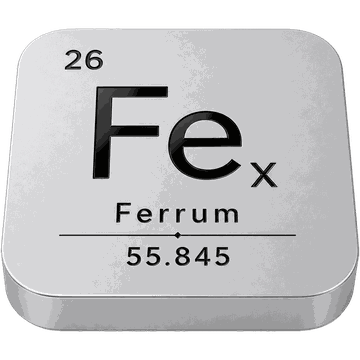
Bourbon's Windows path runs x86-64 Wine under Rosetta 2 today. It works, and it will keep working right up until Apple retires Rosetta. Ferrum is the native engine Bourbon is growing into: it turns a game's Intel instructions into ARM64 as the game runs, answers its Windows requests through Wine, and hands its graphics to Metal — no Rosetta, no virtual machine, no Windows licence.
Smart Play, the Bottle Shelf and the rest of Bourbon sit above the translation layer and stay as they are. There's no public build and no ship date yet, and no game has been played end to end by a person. When Ferrum lands, it lands inside Bourbon 26 — nothing extra to buy.
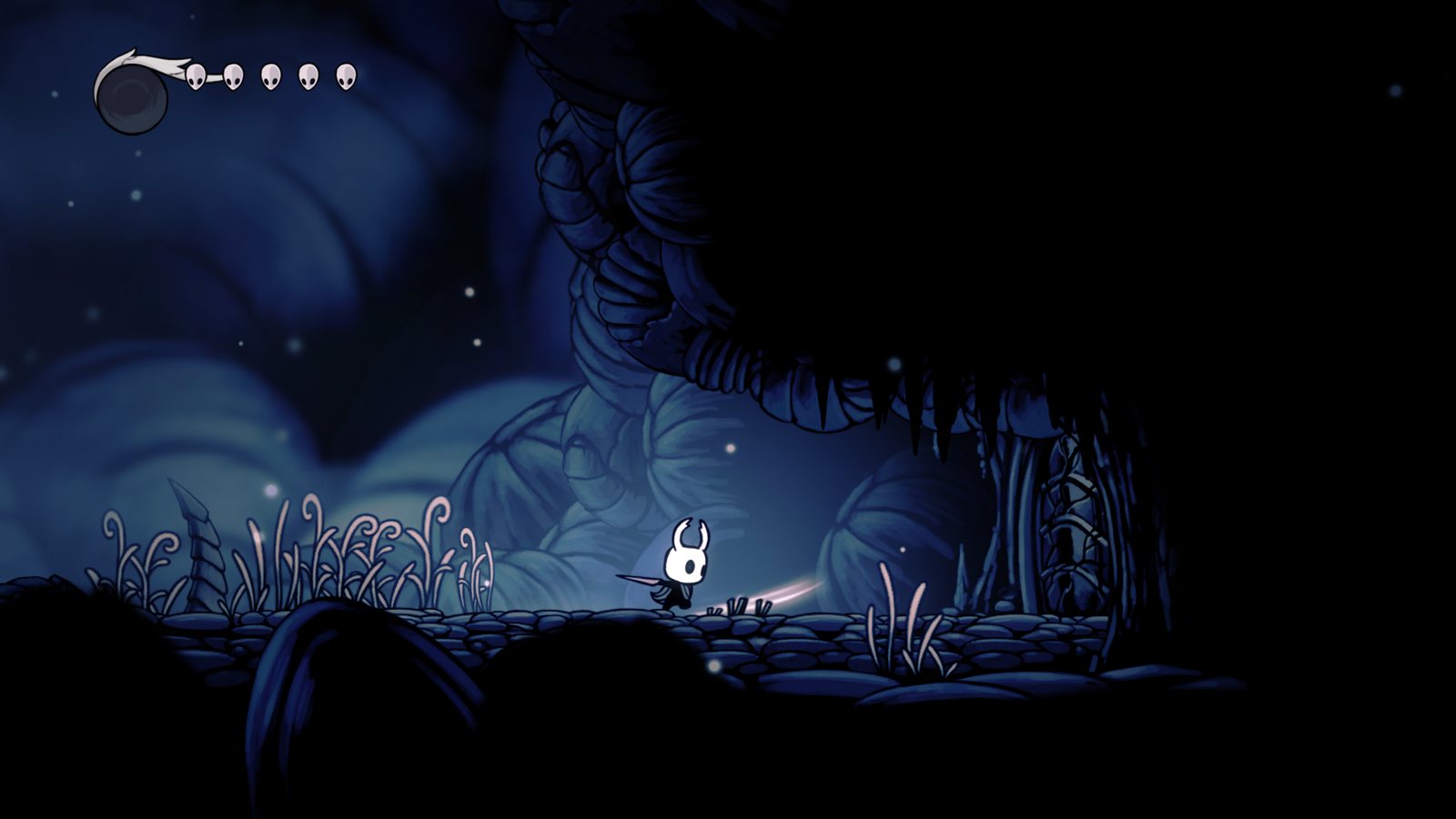
Automated checks, each failing if its capability is removed
Toward playable gameplay — not done
First places in a sealed three-way CPU benchmark — tied with Rosetta for the most
Figures as published on the Ferrum page. The benchmark measures CPU translation across 34 kernels, not a game's frame rate. Hollow Knight is a trademark of Team Cherry; the capture shows an owned copy under Ferrum's automated test harness, and PyroSoft is not affiliated with Team Cherry.
Open source
Much of the compatibility work behind Bourbon is public. Bourbon-OSS carries the reusable layer — recipes, community catalogues, patches and tools anyone can use in their own Wine prefixes — under the MIT licence. The app itself stays closed; the fixes don't.
recipes/First-party Smart Play recipes and confirmed plansdata/Game fixes, community snapshot, resource pins, save-sync rules, anti-cheat listpatches/dxvk-bourbon-d3d9/MoltenVK-friendly DXVK D3D9 patchtools/steamwebhelper_shim.cThe shim that fixes Steam's black UI under Wine on Apple Silicontools/mine_fixes.pyMines protonfixes, Whisky and Lutris into Mac-safe fixestools/compat_sources.pyRefreshes Apple Gaming Wiki, AreWeAntiCheatYet, ProtonDB and MacGamingDB datatools/rom_metadata.pyLibretro titles, box art and clear logos for your ROMsprobes/Minimal D3D11 smoke tests for GPTK, DXVK and DXMTWine, Whisky, CrossOver, Apple Gaming Wiki and the wider Windows-on-Mac community made Bourbon possible. Publishing what we verify is how we pay that back — so anyone can reuse it, improve it and extend it.
Source and Bourbon-authored recipe data are MIT-licensed. The DXVK patch keeps DXVK's own zlib licence.
Questions
No. Bourbon is not a virtual machine and does not require a Windows licence. It runs Windows games through compatibility and graphics translation layers directly on macOS.
No. Check the Permissions panel, click Set Up Everything, and Bourbon installs the required stack. If Homebrew or a macOS permission is wrong, it shows a fix button rather than a cryptic error.
Yes. You sign into your own Steam account and download your own library. Bourbon never touches your ownership.
Many modern 64-bit single-player and Steamworks games run well. Anything with kernel-level anti-cheat generally will not. Look up a specific title on the compatibility page before you buy.
Steam is the centre of it — you sign into the real Steam client and download your own library. Alongside that it runs standalone Windows .exe and .msi files, launches titles through D3DMetal, and streams: cloud services in native windows, PS4 and PS5 over Chiaki, and your own PC, Linux box or Mac over Moonlight.
Yes. Open .exe and .msi files through Bourbon, or right-click in Finder and choose Open With → Bourbon. Installers land in the right place; manually chosen executables can launch through D3DMetal.
Yes, as an experimental feature. Bourbon Android downloads Google's official Android Emulator and an official Google Play system image — about 2.5 GB from Google, with roughly 20 GB of free space needed — and runs seven device types, from tablet and phone to Google TV and Automotive, each sized to your Mac. Installing means accepting Google's Android SDK Terms.
It installs emulators, not games. The Emulators page installs each emulator from its own project's releases through Homebrew and runs it as a native Mac app, and console emulators get a matching bottle on the Bottle Shelf. Bourbon never downloads, bundles or hosts ROMs, disc images, BIOS files or console firmware — those are always yours to supply.
Not in shipping builds yet. OS Experience — a Windows 11 ARM64 virtual machine for software that needs real Windows, and Bourbon OS, a Linux Steam appliance — is coming in a future release. Early versions sit on the Experimental page for testers, and Bourbon OS setup stays locked until a validated image ships — there is no download and no date yet. The Windows VM uses official Microsoft media and needs a Windows licence you buy, and it is meant for software, not games. None of this changes how Bourbon runs Windows games today: that is still Wine, with no VM and no licence.
GPTK 3 is the supported D3DMetal path — Bourbon installs it through Homebrew and gives it its own update action. GPTK 4 is Apple's newer evaluation environment: Bourbon can open Apple's download page and import the DMG for you, but it is marked experimental, since Apple expects newer beta tooling for the full Metal 4 workflow. GPTK 3 stays the default.
No. You buy Bourbon 26 once and nothing expires. It stays fully supported and keeps getting maintenance updates — fixes for macOS and Steam changes, and compatibility work. New features land in the next major version, which is a separate optional purchase. You are never forced to upgrade to keep what you already paid for.
Ferrum is the native x86-64 translation engine Bourbon is growing into, so Windows games keep running on Apple Silicon after Rosetta is retired — no Rosetta, no virtual machine, no Windows licence. It is in development: there is no public build yet, and it will ship inside Bourbon 26 with nothing extra to buy.
The app isn't, but its reusable compatibility layer is. Bourbon-OSS publishes Bourbon's Smart Play recipes, the community compatibility catalogues, a MoltenVK-friendly DXVK D3D9 patch, the Steam CEF shim and the tools that mine public fix sources, under the MIT licence — the DXVK patch keeps DXVK's own zlib licence.
An Apple Silicon Mac (M1 or newer) running macOS 14 Sonoma or later, an administrator account for first-time setup, and enough disk space for Steam and your games.
Your Steam library, running on Apple Silicon. One app, one click, one payment.
Developer ID signed and notarized · no subscription · this version stays supported · major upgrades optional