If you write life and supplemental health business for American Income Life (Globe Life Inc.), eAPP isn't optional. It's how applications get transmitted. It's also Windows only with no Mac build, which is why plenty of Mac based agents end up buying a cheap Windows laptop just to file business.
It does run on a Mac, and Bourbon 26 ships the working configuration as a couple of clicks. It's worth seeing why the obvious approaches fall over first, because that's exactly the afternoon Bourbon saves you.
The setup that works: CrossOver source Wine, plus Wine Mono, plus the WineD3D renderer, installed from the MSI. Confirmed reaching the Electronic Application Processing Program splash with Transmit Applications and Update Software both available.
What doesn't work
Save yourself the attempts. All three of these got tested and all three failed.
- Wine Staging. Hangs, or throws .NET initialization errors. It's also the default runtime in most Wine wrappers, which is exactly why eAPP has a reputation for not working on Mac.
- DXVK or D3DMetal as the renderer. Both are flagged known bad for this app. eAPP is a forms client, not a 3D game. Pointing a DirectX to Vulkan translator at it adds failure modes and gains you nothing.
- Copying
eAPP.exeover on its own. Most common mistake by far. The bare executable, orEappMain.exepulled out of a Downloads folder, fails on missingAil.dllandAil.Eapp.Messenger. eAPP is a .NET app with a dependency tree, and only the MSI puts that tree down properly.
What does work
Three things have to be true at the same time.
- CrossOver source Wine as the runtime, in its own prefix, not the Wine Staging build you'd use for games.
- Wine Mono installed, because eAPP is .NET.
- Installed from
eAppSetupAIL.msi, soeAPP.exe,Ail.dlland everything else land together.
Get all three right and it reaches the splash screen and transmits normally. Get any one wrong and it fails in a way that looks like Wine being broken.
The quick route
Bourbon 26 ships this setup as a recipe so you don't have to build it. The MSI is bundled too, so there's nothing to go hunting for.
- Install Bourbon 26 and run Set Up Everything once. That installs both Wine runtimes including the CrossOver source build eAPP needs.
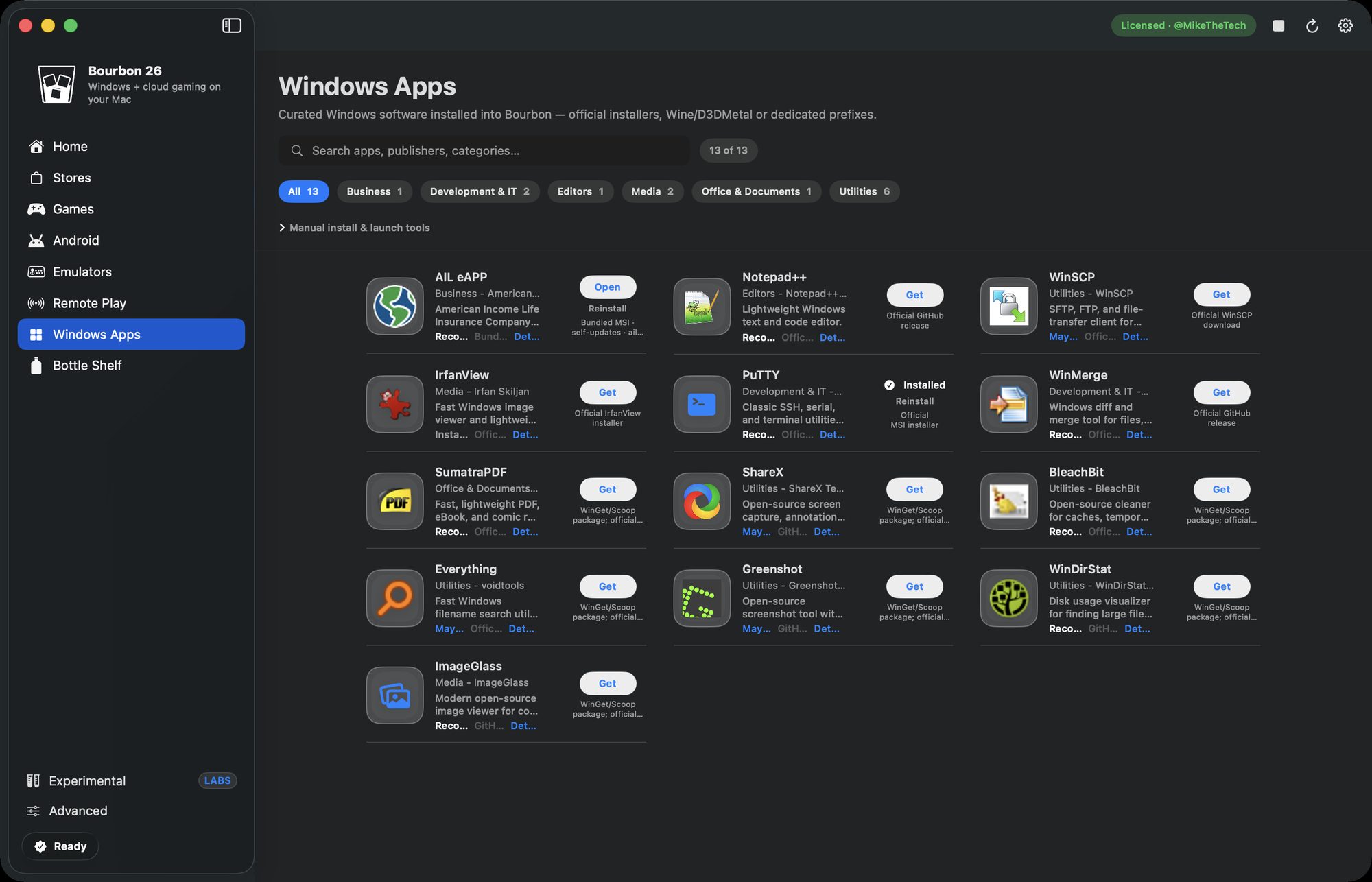
- Open the Windows Apps tab.
- Find AIL eAPP, it has a Recommended badge, and install it.
- Launch it from Smart Play, where it shows up as AIL eAPP Main.
Bourbon drops it into a dedicated prefixes/ail-eapp prefix with WineD3D selected and Wine Mono present, then watches for the eAPP.exe process and the eApp window to confirm it came up. After first launch the client self updates the same way it does on Windows.
Why not just use CrossOver?
Reasonable question, since eAPP wants the CrossOver source Wine build. CrossOver will run it, but you're doing the setup yourself: creating the bottle, adding Wine Mono, selecting WineD3D, and finding the MSI. That's $74 a year for the runtime without the recipe.
Bourbon ships the tested configuration and bundles the MSI, so the whole thing is a couple of clicks, for $29.99 once. Parallels would also run eAPP, but you're buying a Windows license and running a full virtual machine to open a forms application.
One thing worth being careful about. eAPP handles client personal and health information, so your usual obligations follow you onto the Mac. Full disk encryption, locked screen, and whatever your agency says about where client data can live. Running it through Bourbon doesn't change your compliance position either way, so check your setup with your agency before you file real business on it.
Bottom line
eAPP is a great candidate for a translation layer. It's a forms client, not a 3D app, and there's no Mac build competing with it. The only reason it's got a reputation for not working is that the default Wine setup is the wrong one. Bourbon 26 ships the right one.
Buy Bourbon 26, $29.99