
Documents and code open in a side canvas you can edit, copy, download or preview.
Live
Free · no account
Democratized AI for all
Free AI that runs on your own device.
FreeSpark is an AI assistant in a browser tab. It picks an open language model your device can handle, runs it on your own GPU through WebGPU, and gives it the tools to look things up, do the math and check its own work. No account, no subscription, no daily message cap.
Runs on your GPU
53 switchable tools
Voice on device
Chats stay in your browser
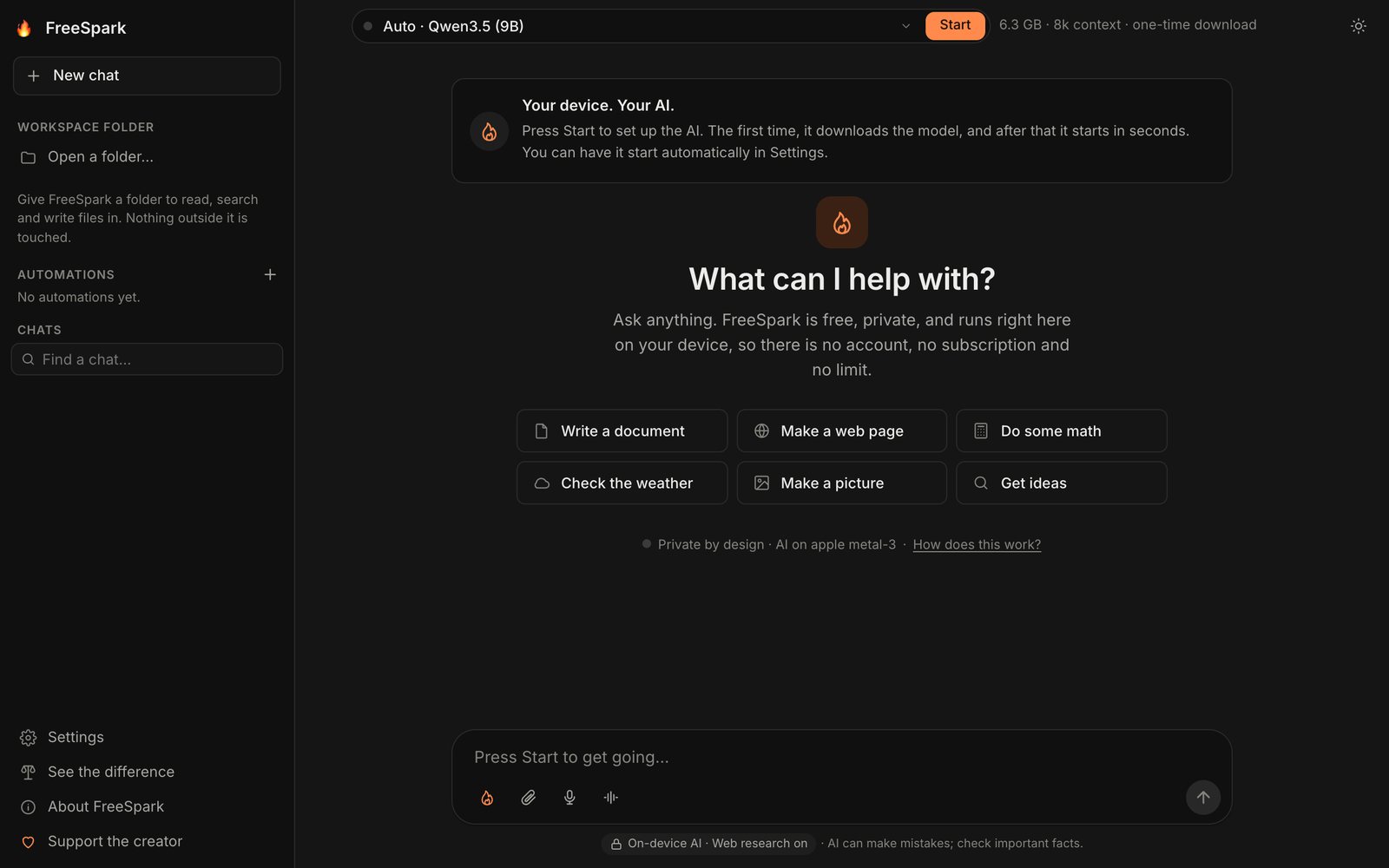
No account.Open the page and ask. There is nothing to sign up for and nothing to log in to.
No subscription.Nobody pays per message, so nobody is priced out. FreeSpark shows no ads.
No message cap.The model runs on your hardware, so there is no daily quota to run out of.
Model + Spark
Software gathers.
The model writes once.
A model running in a browser pays in time for every word of prompt it reads. So FreeSpark does the legwork in ordinary code and asks the model for one well-prepared answer. The app calls that combination Model + Spark.
Route
Rules, then a small classifier trained for the job, decide whether a message is conversation, writing, code, a lookup or a device task. The model is asked only when they're unsure.
Gather
The date and time, your notes, files and links you shared, web research and any tool whose inputs are already known — fetched together, before the model starts.
Draft
One streamed answer in a natural voice, with this turn's facts, tool results and sources handed to the model up front.
Check
Code fixes format slips, checks figures against tool results, removes invented links and runs any JavaScript it wrote. Unsupported sentences lower the confidence shown.
See it for yourself. “See the difference” in the sidebar runs the same question through the loaded model on its own and through FreeSpark, side by side. The Spark button in the composer sends a single message to the bare model — no tools, search or checks — whenever you want that instead.
What it can do
A whole assistant, in one tab.
The model, your files and the heavy lifting stay in the browser. Pictures, voice and Python fetch what they need the first time you use them, then keep it cached.
They're read in the browser and never uploaded.
Nothing outside it is touched, and by default every change is shown first with Apply and Reject.
On by default. One switch in Settings turns it off.
Charts come back as images in the chat. The runtime is about 12 MB plus packages, downloaded once.
384×384 pictures. The image model is a one-time download of about 2.3 GB and needs memory alongside the chat model.
Whisper listens and Kokoro speaks, both on the device — or use your system's own voices. Your voice never leaves it.
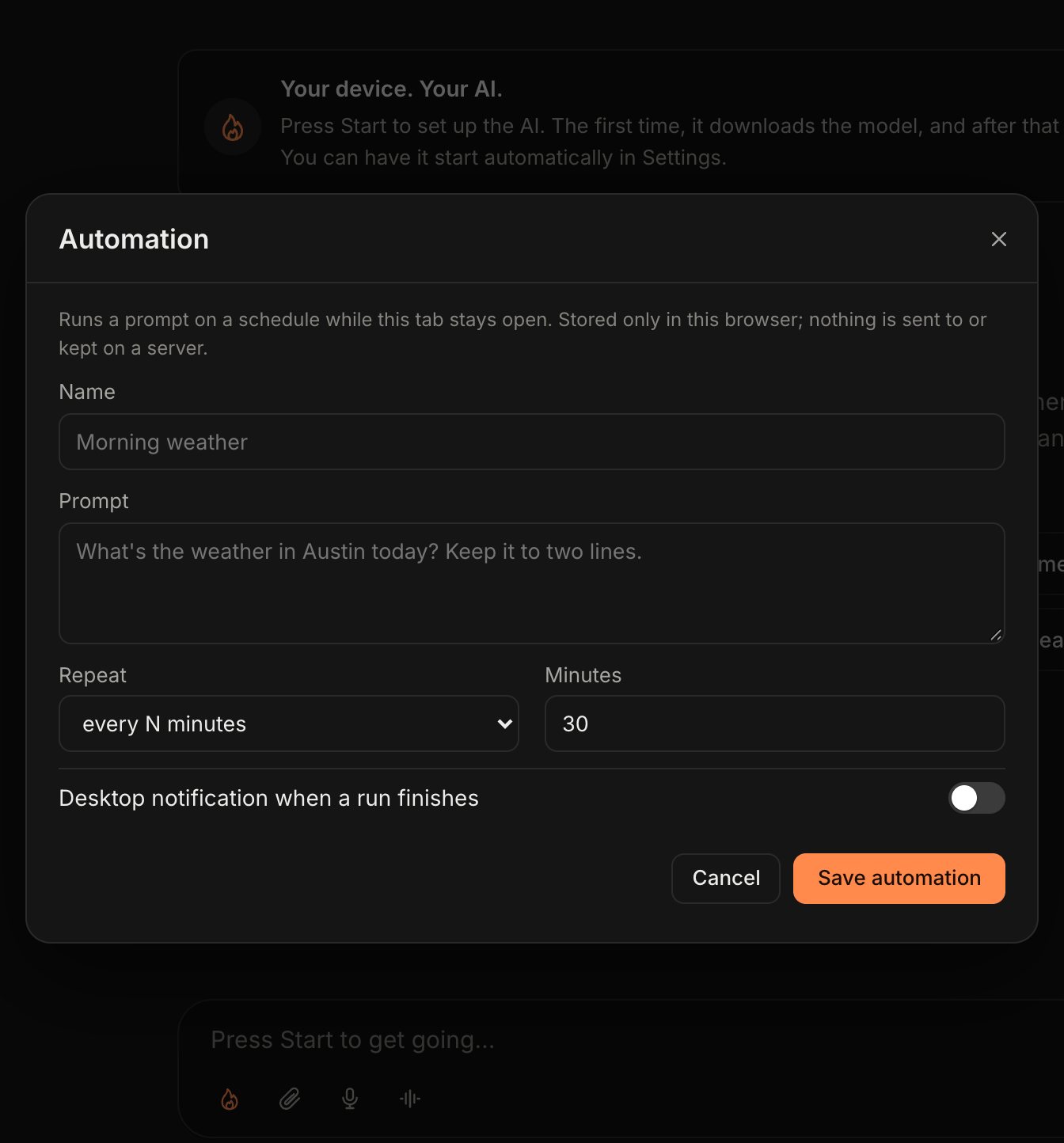
Automations run every N minutes or daily while the tab is open. Both stay in this browser.
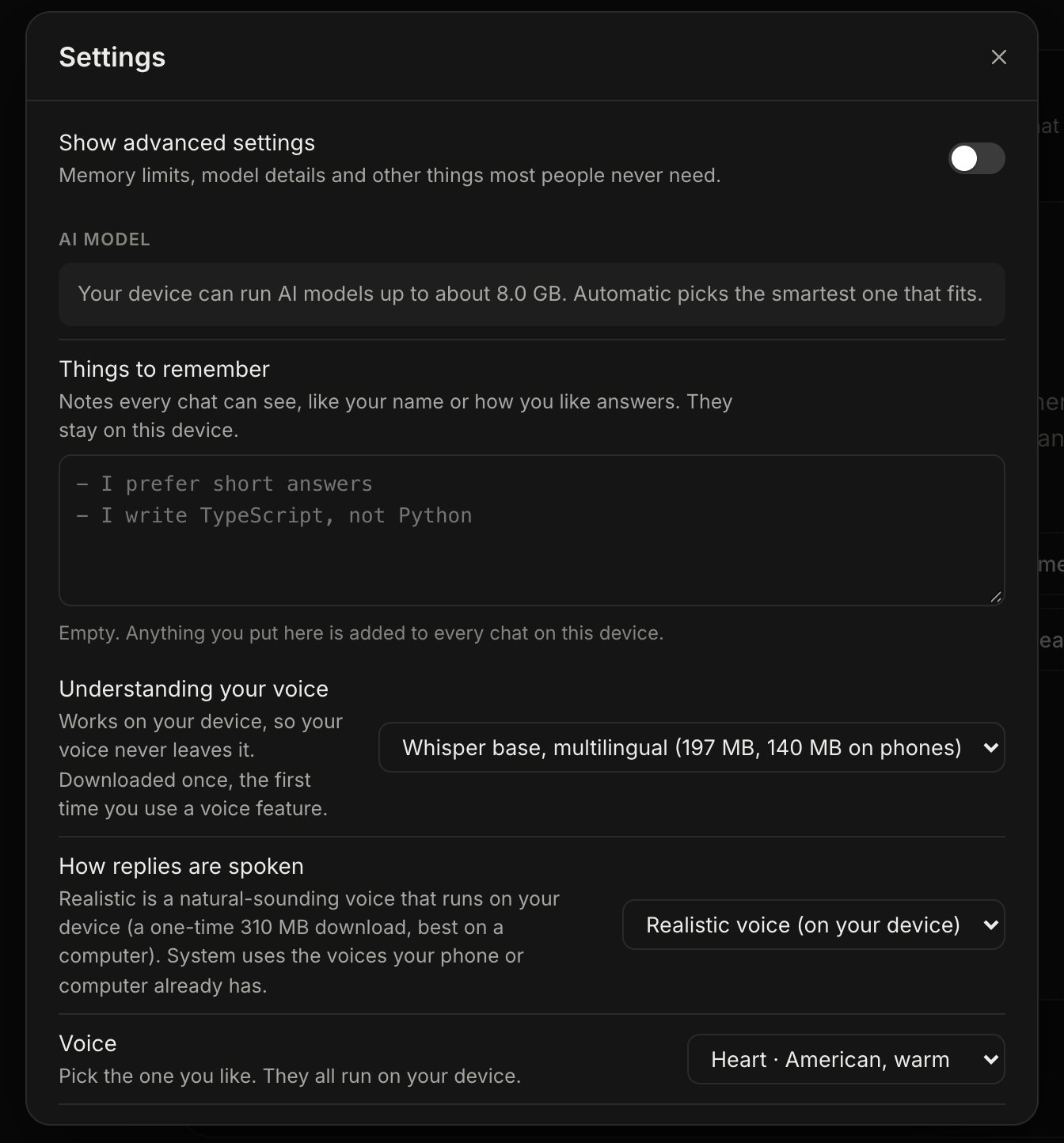
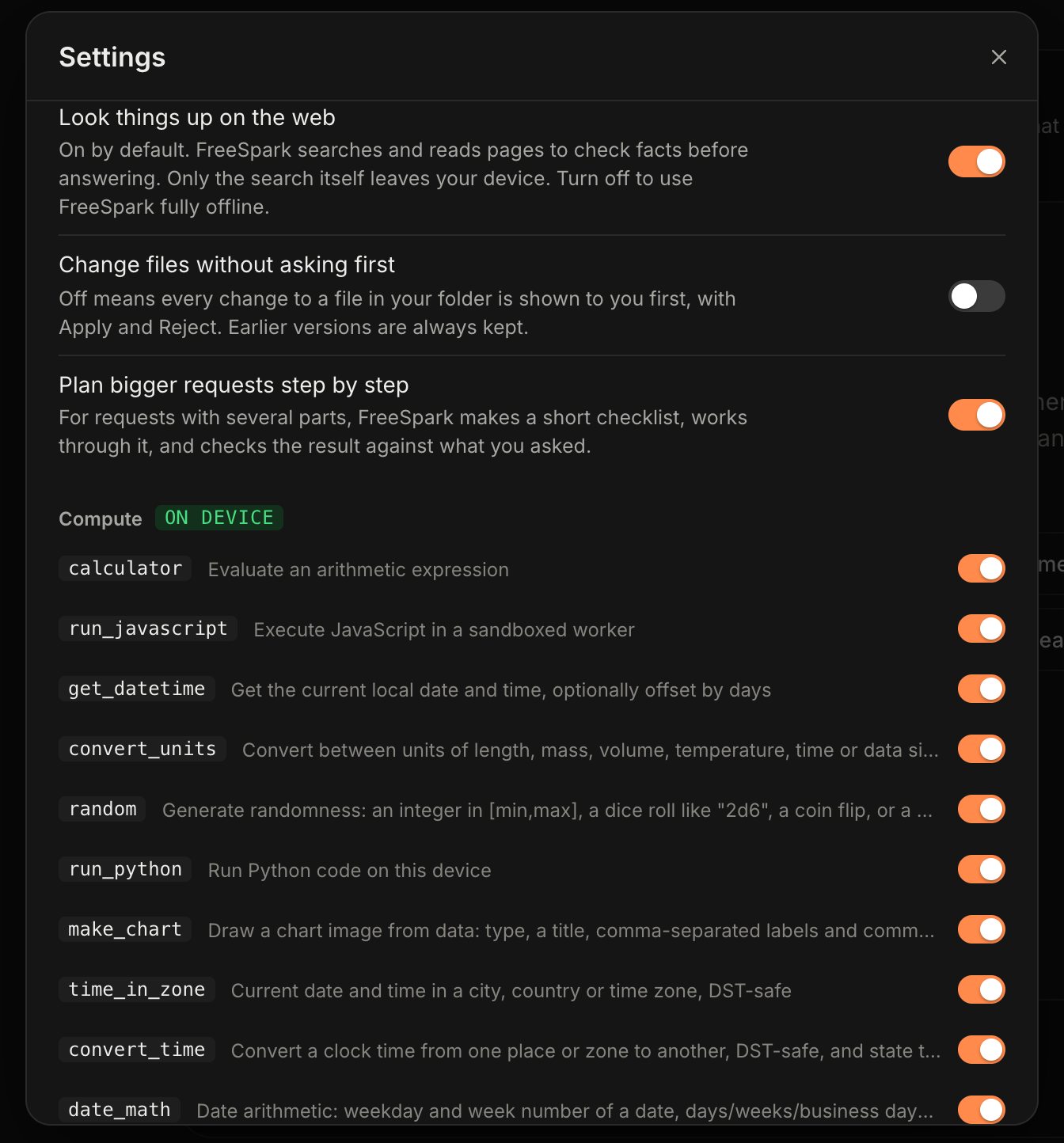
Real screens
Nothing hidden in the settings.
Captured from the live app at freespark.app on September 13, 2026, with no model loaded.
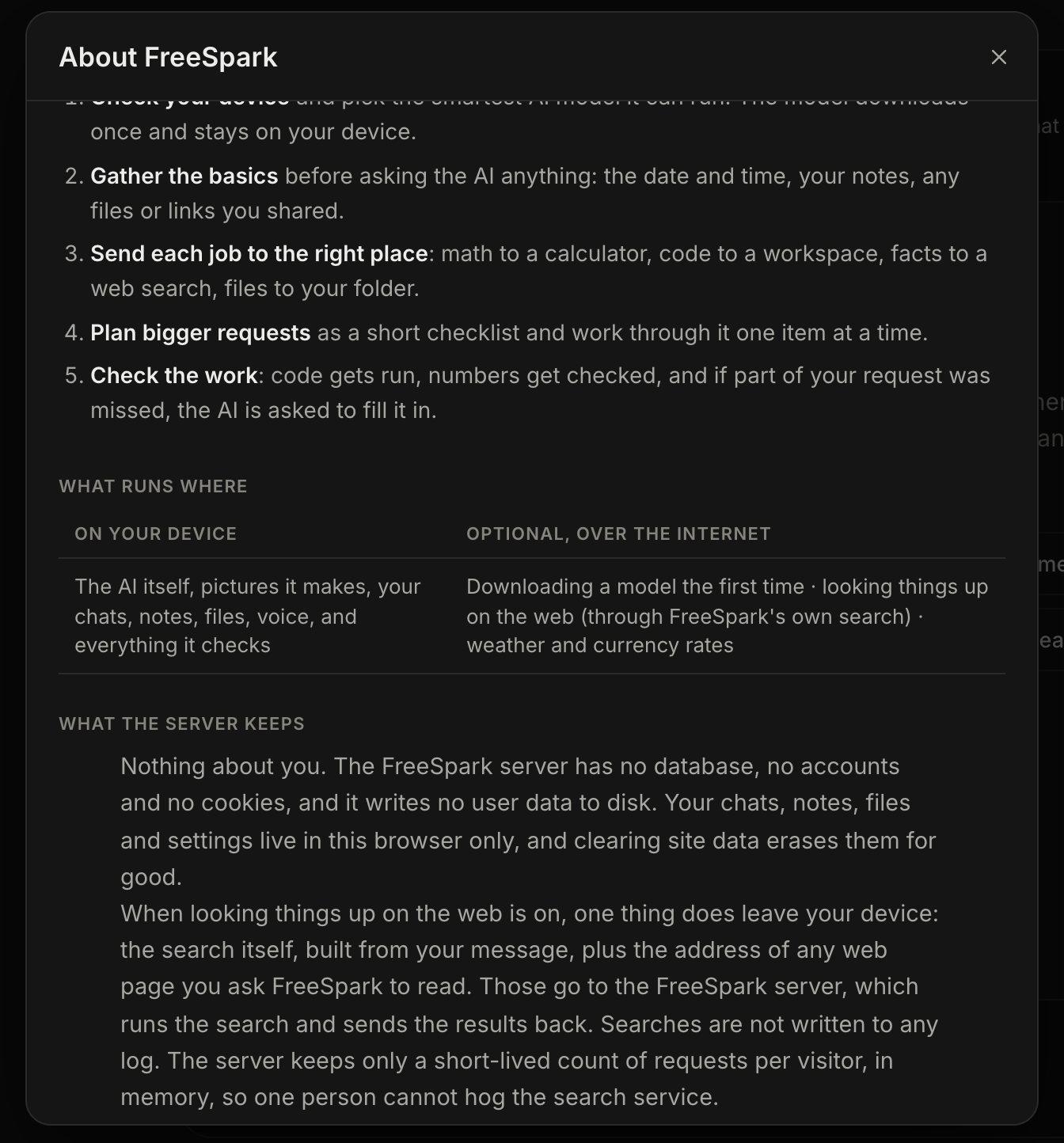
Privacy
Your chats never leave the browser.
Prompts, conversations, attached files and generated images stay on your device. Chats, notes and settings live in the browser's own storage, and clearing site data erases them for good.
The server that hosts FreeSpark has no database, no accounts and no cookies, and writes none of your chats or searches to disk.
They go to FreeSpark's own search server — a private SearXNG instance, with public engines as a fallback — which streams the passages back, and FreeSpark keeps no log of them. If that server can't help, the browser may try the search engine or the page directly, or through a public CORS proxy. Tools such as weather, currency, maps and the dictionary call their public services directly, and so does translation when the browser has no built-in translator.
Switch off “Look things up on the web” in Settings, and the only traffic left is downloading — the page itself, plus models and runtimes the first time they're needed.
Only a short-lived, in-memory count of requests per visitor, so one person can't hog the search service — plus the ordinary page-request logs every website keeps.
JavaScript the AI writes runs in an isolated, time-limited sandbox, and page previews block remote files and can't reach into the app.
Requirements
What you need: WebGPU.
A browser that supports WebGPU — a current Chrome, Edge or Safari usually does. FreeSpark checks what your browser and GPU actually report, then offers the models that fit.
| Browser | One with WebGPU — FreeSpark checks for it when the page opens and tells you if it's missing. Opening a workspace folder also needs the File System Access API. |
|---|---|
| Hardware | The computer or phone you already own. Speed, model size and answer quality vary a lot by device. Low-memory mode uses the smallest model for phones and older computers. |
| First start | Downloads the model, which can be a few gigabytes, then starts in seconds from the browser's cache. By default this happens as soon as the page opens; you can turn that off in Settings. |
| Models | Open models built for the browser, from 30 families in the picker — including Llama, Qwen, Gemma, Phi, Mistral, DeepSeek R1 Distill and SmolLM2. Auto picks one that fits; MLC builds from Hugging Face can be added in advanced settings. |
| Optional downloads | Speech recognition: Whisper base (197 MB) or tiny, English only (114 MB). Realistic voice: 310 MB. Pictures: about 2.3 GB. Python: about 12 MB plus packages. Each happens once, the first time you use it. |
| Price | Free. No account, no subscription, no ads. |
| Your data | Kept in this browser. Export chats as JSON, delete them, or remove downloaded models from Settings. |
| Made by | PyroSoft Productions, Inc. and its founder, MikeTheTech. |
Built on
WebGPU
WebLLM
Transformers.js
Janus-Pro-1B
Whisper
Kokoro-82M
Pyodide
SearXNG
OpenStreetMap
Questions people actually ask
FAQ
Is it really free?
Yes. There's no account, no subscription and no daily message cap, because the model runs on your hardware rather than a paid server. FreeSpark shows no ads; the only thing in it that asks for money is an optional buy the creator a coffee link.
Why is the first start slow?
The first time, FreeSpark downloads the model — potentially several gigabytes. After that it's cached and starts in seconds, though a browser can clear its cache when storage runs low. By default the AI starts as soon as the page opens; switch off “Start the AI when the page opens” in Settings if you'd rather press Start yourself.
Will it run on my computer or phone?
If your browser supports WebGPU, FreeSpark offers the models that fit. Phones get smaller ones: on a phone or tablet the browser tends to close a WebGPU tab past roughly 1.5 GB, so FreeSpark keeps the model well under that. If the browser ever closes the page, FreeSpark switches on Low-memory mode by itself.
Can it work offline?
Turn off “Look things up on the web” and your requests stay on the device; FreeSpark still downloads models and runtimes the first time it needs them. It isn't an installed offline app, though — the page itself loads from freespark.app.
How good are the answers?
That depends on the model your device can run. Small models can pick the wrong tool or get facts wrong, which is why FreeSpark checks its work in code — and why the app says it plainly: AI can make mistakes, so check anything important.
Can it change my files?
Only inside a folder you choose to open. By default every change — deleting included — is shown to you first with Apply and Reject, and earlier versions are kept. You can let it apply changes without asking in Settings; work in a folder you're happy for it to modify.
Who makes FreeSpark?
PyroSoft Productions, Inc. and its founder, MikeTheTech. You can follow the work on YouTube.
Live now · free
Open a tab. Ask anything.
FreeSpark runs at freespark.app. There's nothing to install and nothing to sign up for — the first start downloads a model that fits your device.