
Planned from terrain tiles and GPX routes.
Coming soon
BambiMaps opens first
A studio for customisable 3D prints
Print the things you care about.
Bambi3D is a studio for customisable 3D prints: you configure an object in your browser and print it yourself. Every piece ends up as the same kind of thing — a framed, sealed, hangable relief with your own words on it. BambiMaps, which turns real streets and terrain into a framed city relief, is the first studio out of the door.
Built in your browser
Real building heights
3MF + STL
No supports
Keyhole hanger
Studio one · BambiMaps
Print the place you love.
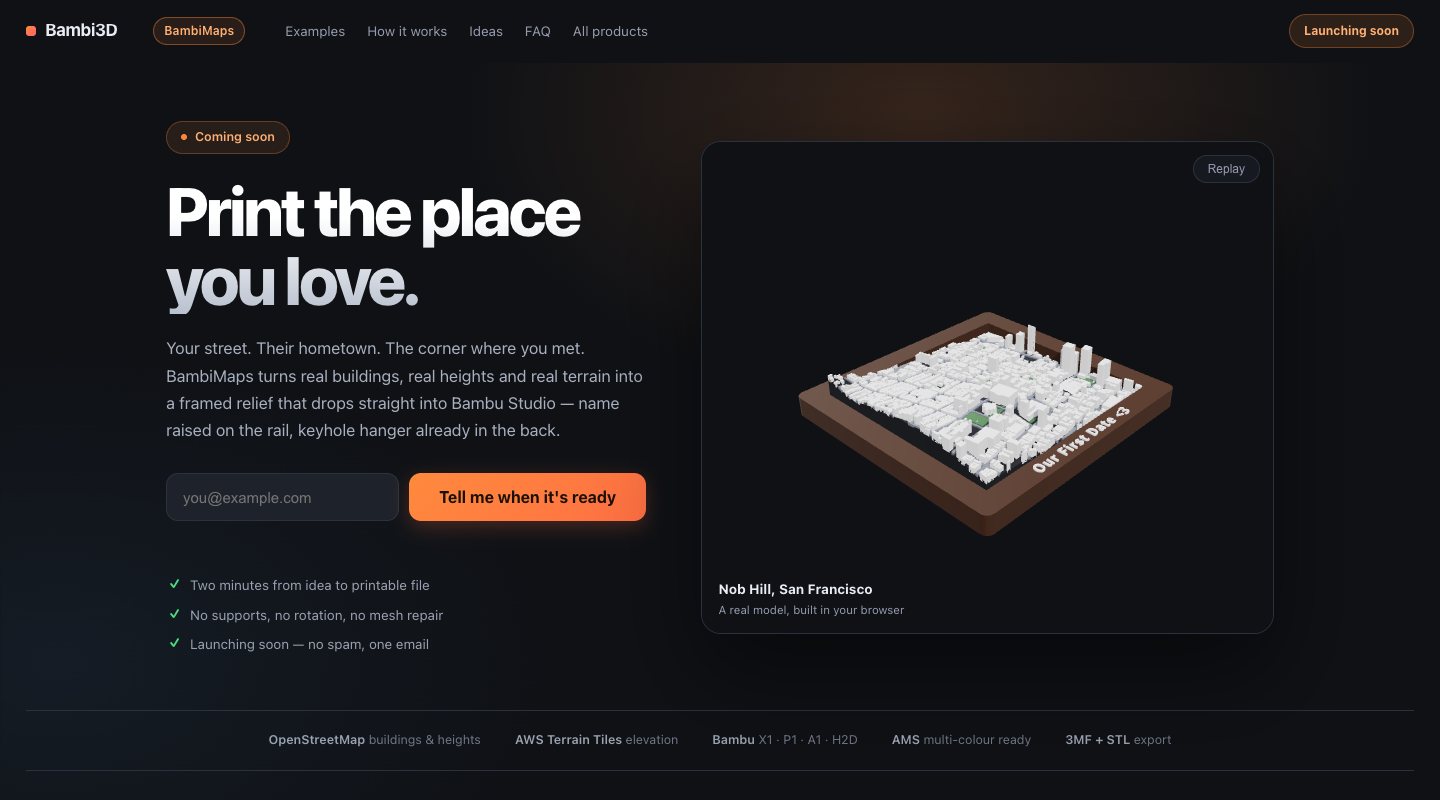
Pick a rectangle of map and choose a picture frame. BambiMaps builds your city sitting inside it — real building heights, real terrain, your own lettering on the rail — and hands you a file that drops straight into Bambu Studio, with a keyhole hanger already recessed into the back.
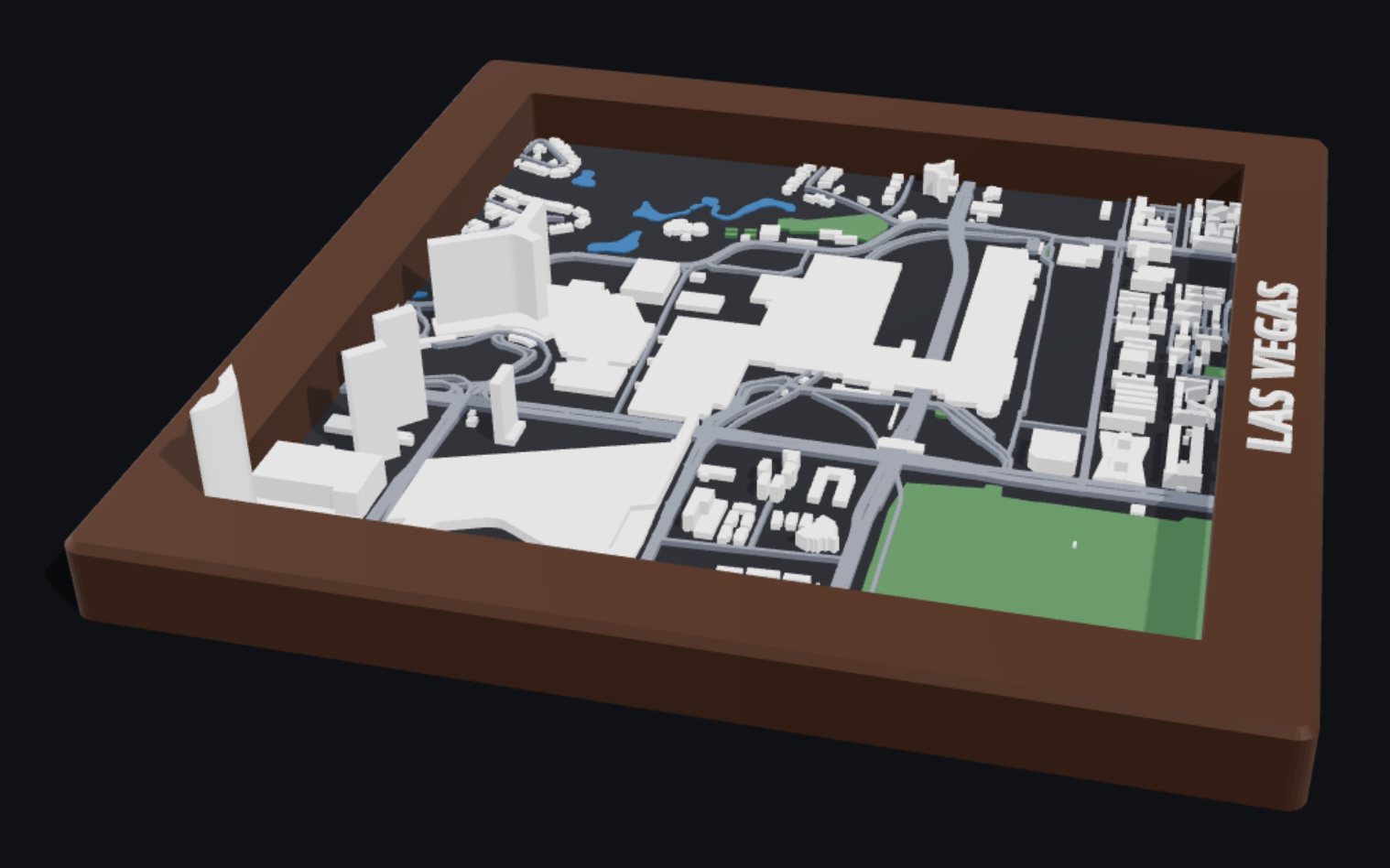
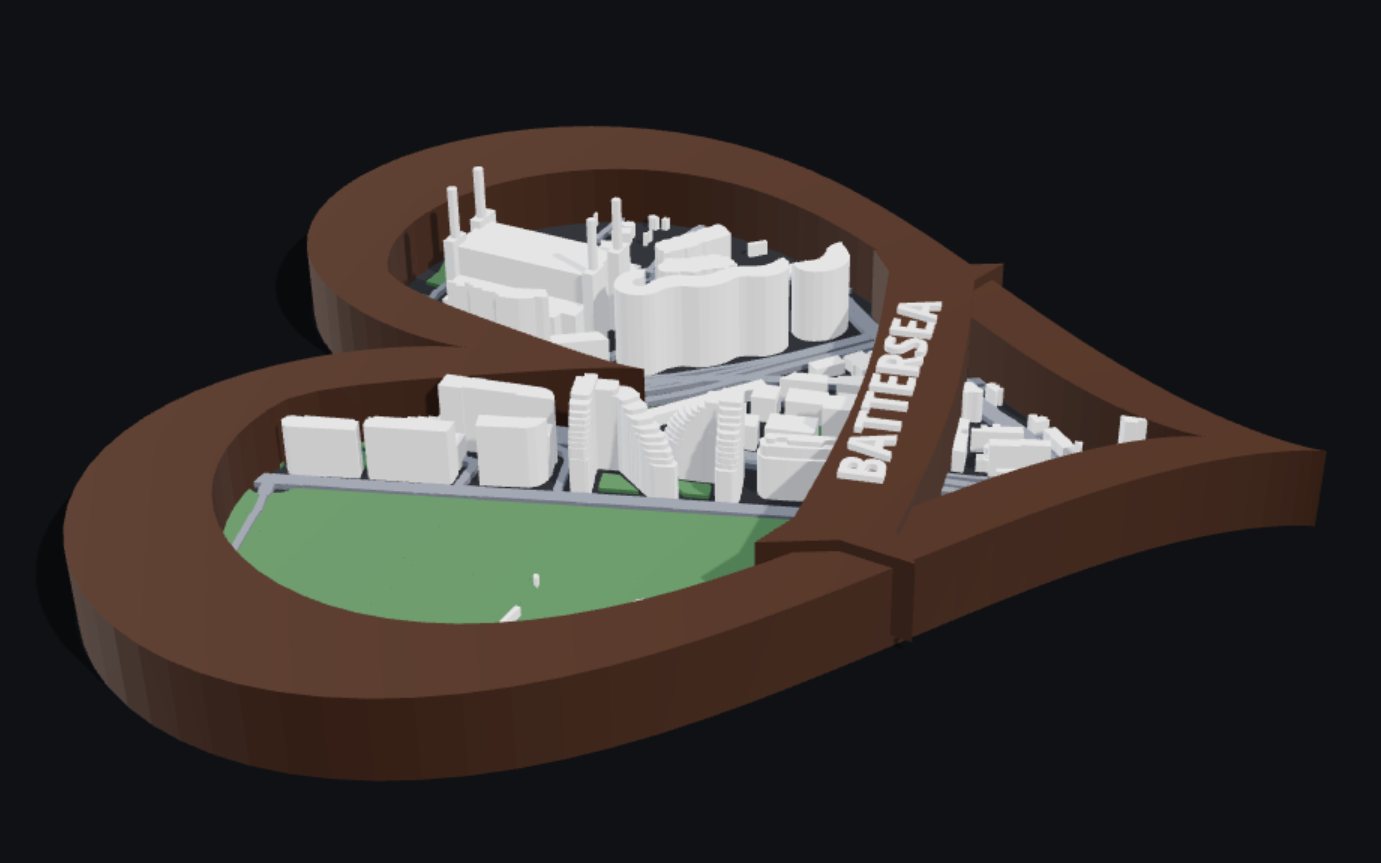
The examples on bambimaps.com are genuine geometry, rebuilt in your browser from baked slices of map and elevation data by the same pipeline the app uses. Pick one and spin it.
Real captures
Real places. Real models.
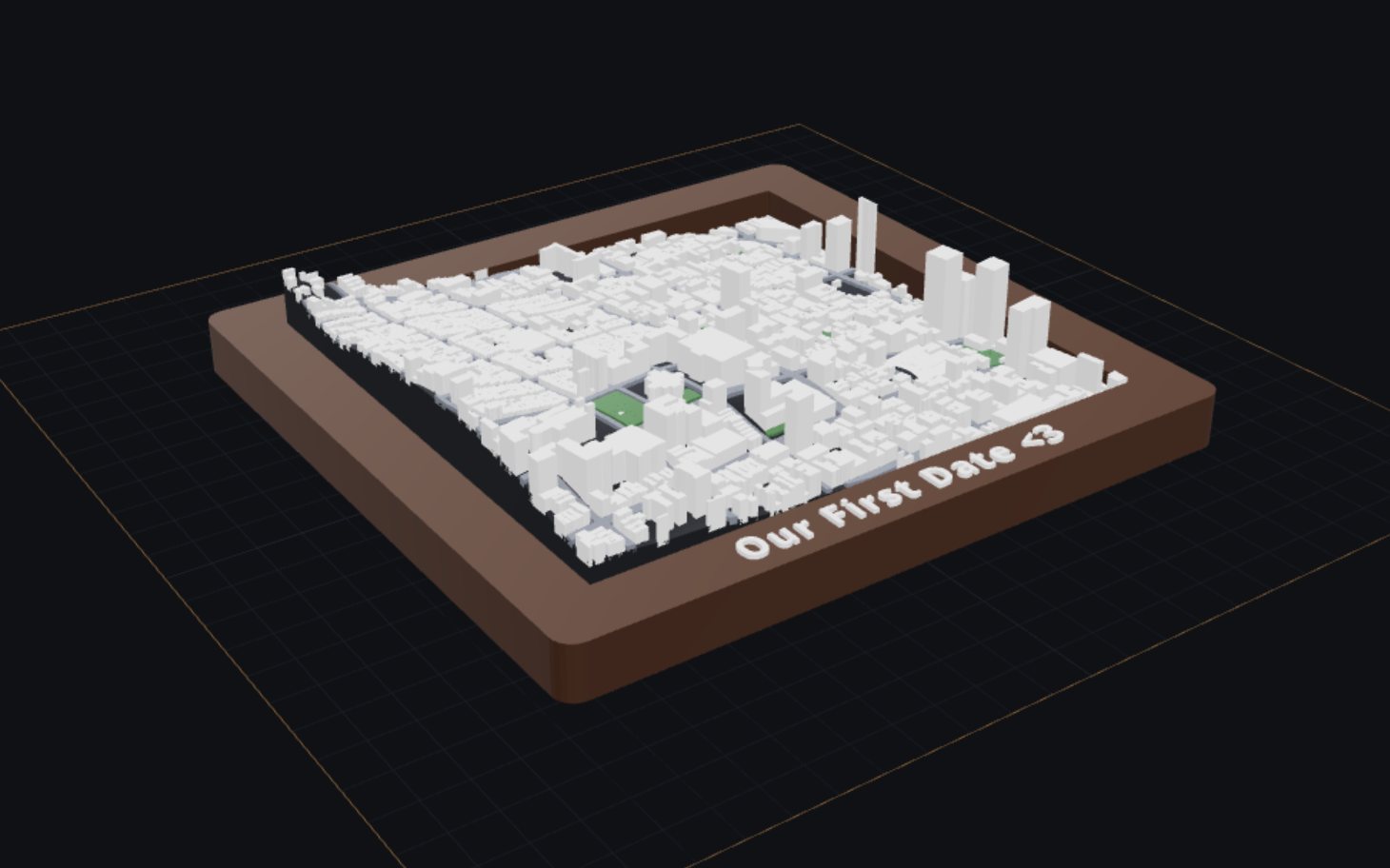
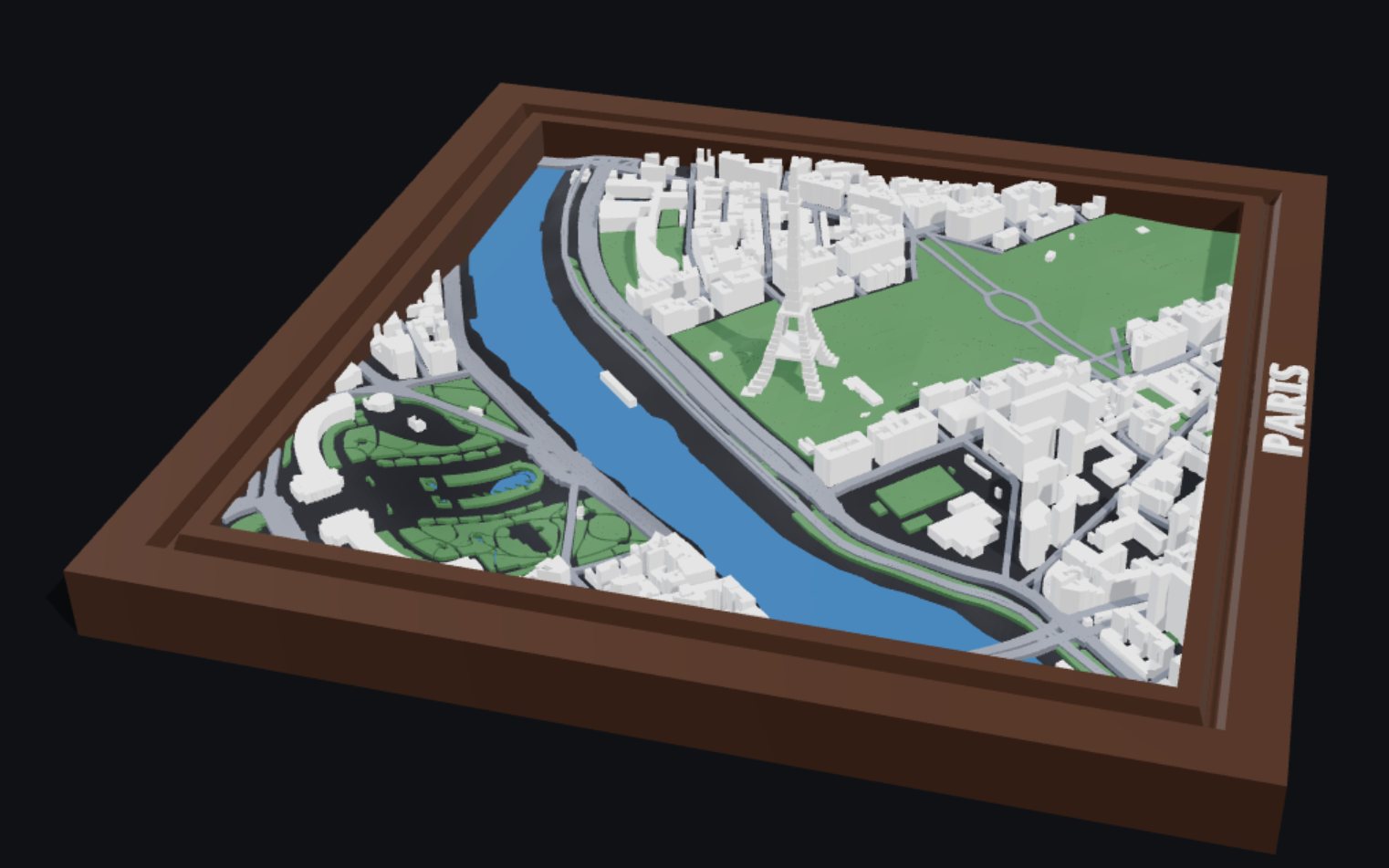
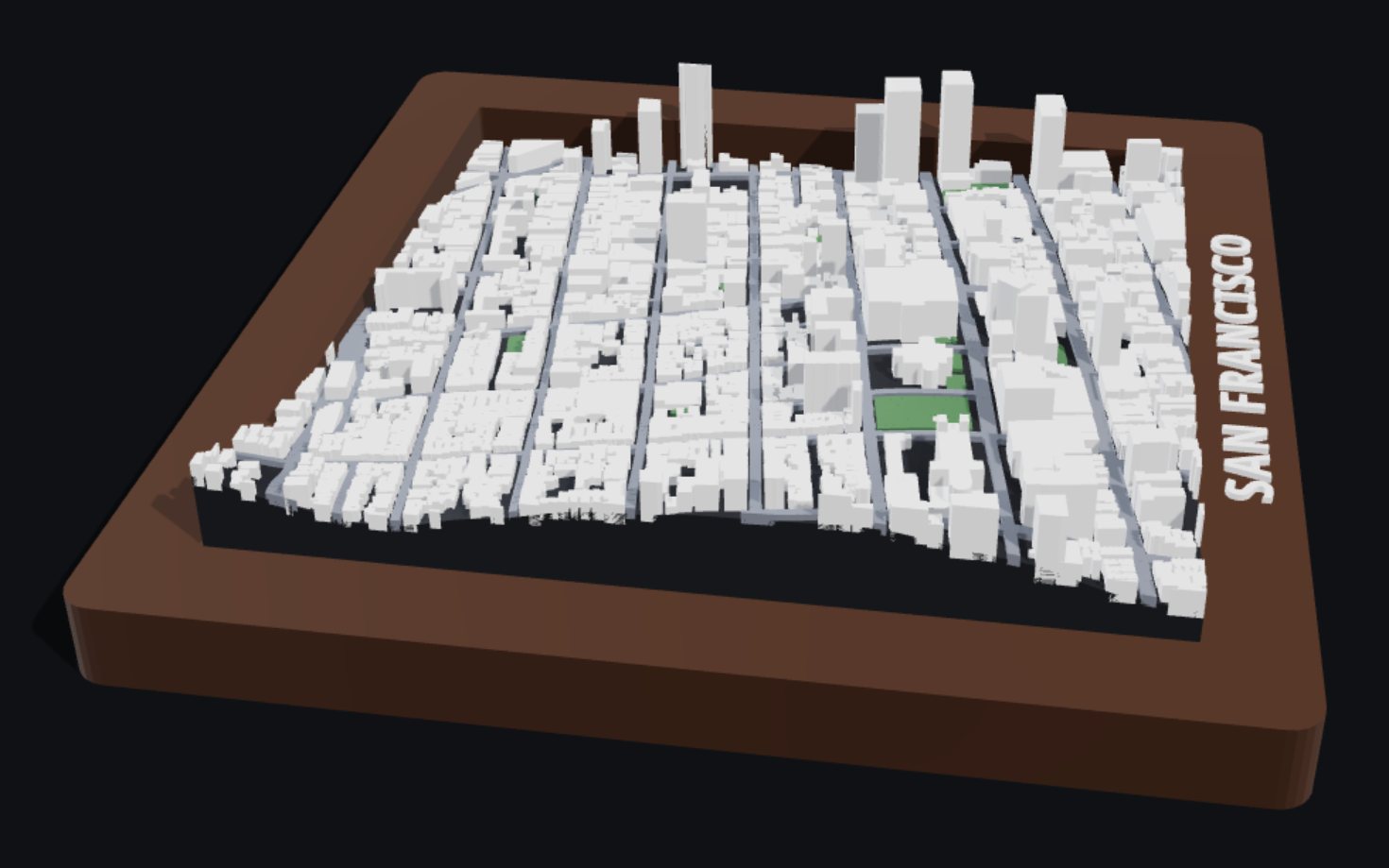
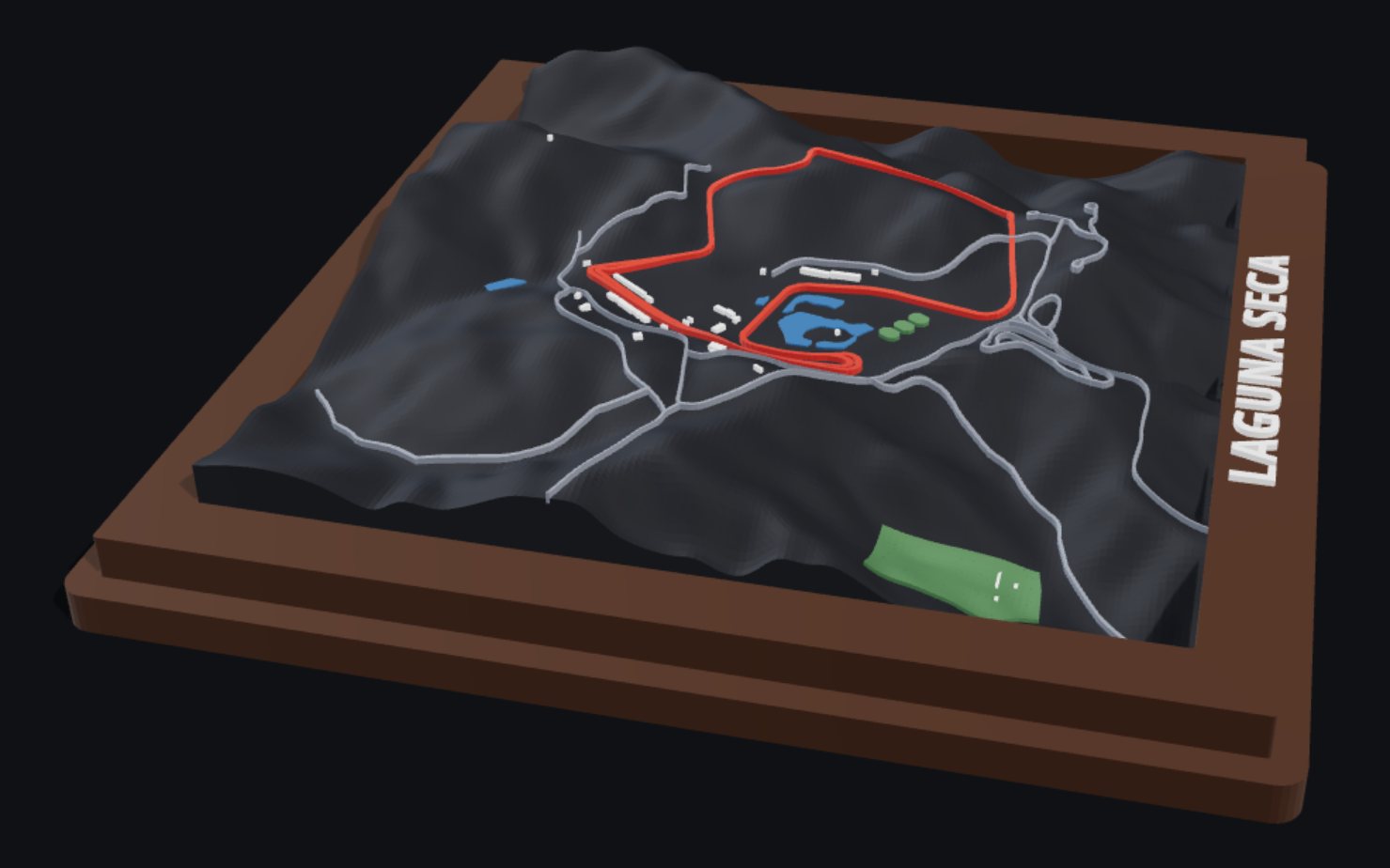
Five worked examples ship on the BambiMaps page, each one built live in your browser. These are screenshots of them taken from bambimaps.com; the sizes and counts are the ones the page reports.
How it works
Three steps. About two minutes.
No CAD, no mesh repair, no guessing at scale. These are the BambiMaps steps; the planned studios are designed around the same three — what changes is where the shape comes from.
-
Frame your area
Search for a place, then drag the box over it — or redraw one anywhere. Lock it square or to 4:3, 3:2, 16:9 or 3:4. The readout shows the real-world size as you go; half a kilometre to three across prints best.
-
Choose the frame
Rectangle, heart or oval; six rail profiles, four size presets and corner rounding. Add your own raised lettering — the place name is filled in for you — and a keyhole hanger goes into the back.
-
Build and print
Real map and elevation data go in and a Bambu-ready 3MF comes out, every layer its own part on its own AMS slot — or take a plain STL to any slicer. Copy design link keeps the exact piece in a URL.
The craft
Why these actually print.
Most downloadable models are pictures of solids. These are solids — built with their voids already in them, then checked before they can leave the page.
- Sealed, every time. No boolean operations: every edge matched, every normal facing out, positive volume.
- Your printer, not a generic one. Heights snap to whole layers, and anything finer than your nozzle is dropped instead of becoming a sliver.
- Towers break the frame. Landmarks and hilltops rise through the frame plane and still print face-up without supports.
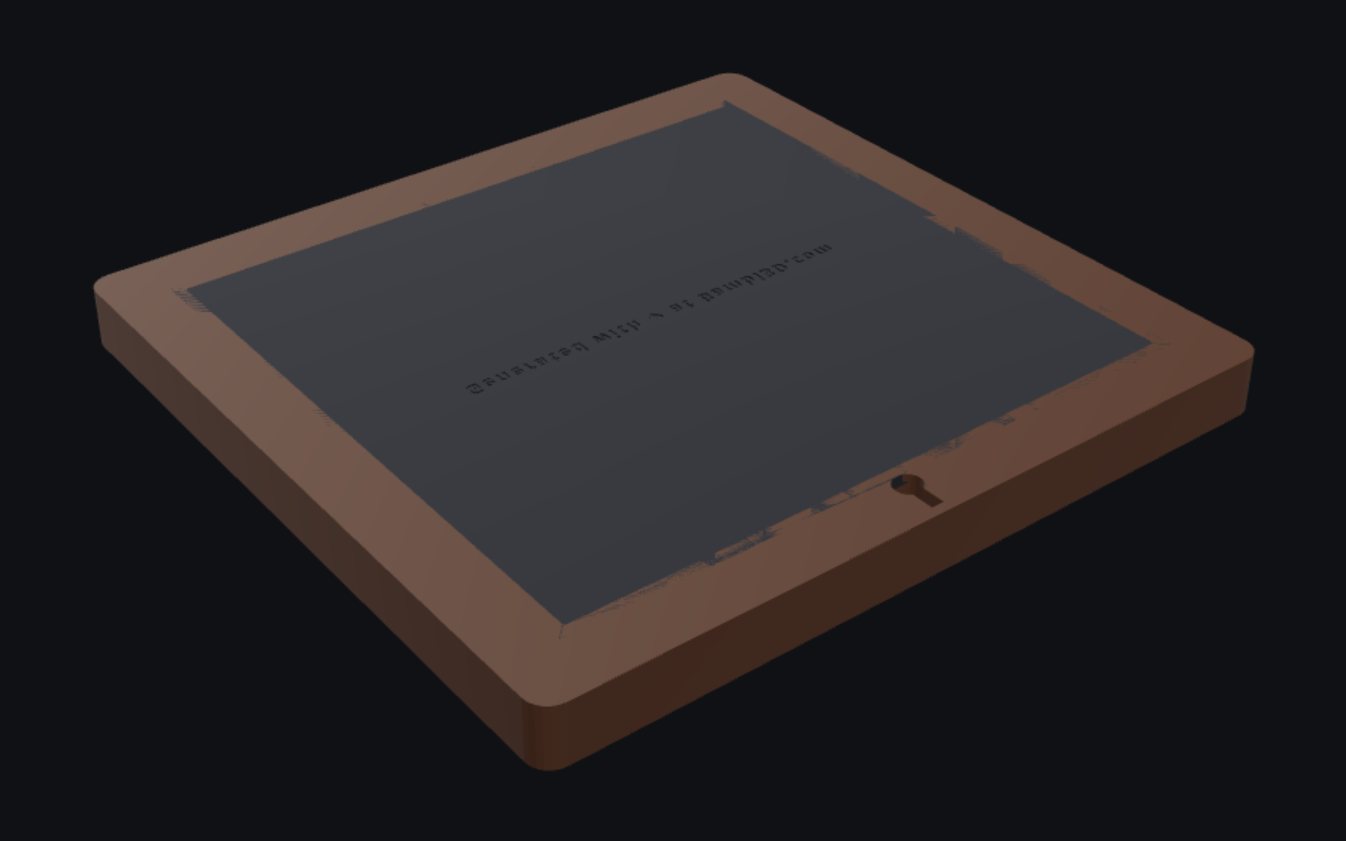
- It hangs. Push the keyhole onto a nail, let it drop, and the head is trapped behind the ledge. No hardware, no glue. Rails under 13 mm, like the coaster size, get a plain nail hole instead.
- Signed on the back. Every plate carries “Generated with ♥ at Bambi3D.com” engraved into its underside.
The detail is the point
What BambiMaps builds.
Everything comes from open data, not an artist's impression — and where open data can't describe a structure, it's modelled by hand rather than faked.
| Buildings | OpenStreetMap footprints and heights, with tower setbacks and platforms extruded part by part. Roof shapes are read where they're tagged; untagged roofs stay flat rather than getting an invented one. |
|---|---|
| Terrain | AWS Terrain Tiles — about 1–3 m where lidar exists, 10 m across the US and 30 m worldwide. You set the relief in millimetres; water sits level. |
| Streets, water, parks | OpenStreetMap, classified by tag. Race circuits become their own part in the accent colour. |
| Frame | Rectangle, heart or oval. Six rail profiles — Classic, Beveled, Rounded, Stepped, Ornate and Modern Slim — plus an optional ribbon banner. Terrain relief is rectangles-only; hearts and ovals print flat. |
| Lettering | Raised, on any rail, on a ribbon or out on the city, in five bundled typefaces. Defaults to the place name; one click adds a coordinates line. |
| Printers | Bambu X1 Carbon, X1E, P1S, P1P, A1, A1 mini and H2D, each with its real plate size, and a one-click scale-down if a design won't fit. |
| Colour | One part per layer, each on its own AMS slot. Four palettes — Walnut, Blueprint, Sandstone and Graphite — or click any building, street, park or river to give it its own colour. |
| Export | 3MF with Bambu project settings, per-part filament assignments and plate thumbnails, or a plain STL for any other slicer. |
| Size | Four presets, from a 100 mm coaster to a 240 mm statement piece, or any width from 60 to 300 mm that your printer's plate can take. |
Status — honestly
BambiMaps is built. It isn't open yet.
bambi3d.com and bambimaps.com are live but launch-gated: the landing pages, worked examples and ideas are public, while the designer and downloads are not. Leave an email on either site to hear the day it opens.
Live now
- bambi3d.com — the studio homepage, with the product shelf, how it works and the waitlist.
- bambimaps.com — five real models built live in your browser, and a short film of the whole workflow from map to print.
- An email signup on both sites, promising one message when BambiMaps opens — and, on bambi3d.com, one more each time a new studio lands.
Not yet
- The designer isn't open to the public. It's in the last stretch of testing, behind the launch gate.
- Printable downloads aren't available yet, and pricing isn't published.
- BambiPeaks, BambiTracks, BambiStars and BambiWaves are planned, not built.
In the workshop
Four more studios, planned around the same frame, lettering, hanger and export engine. None of them works yet.
Planned from circuit surveys and lap telemetry.
Planned from the Hipparcos catalogue.
Planned from any audio clip, decoded in your browser.
Questions
FAQ
What is Bambi3D, exactly?
A small studio building customisable 3D prints — objects you configure in your browser and print yourself. Every product ends up as a framed piece you can hang. BambiMaps, which makes framed city reliefs, is the first one out of the door. Bambi3D is a studio by PyroSoft Productions.
Can I use it today?
Not yet. Both sites are live, but the designer sits behind a launch gate while it finishes testing. You can explore the real example models on bambimaps.com now, and leave an email there or on bambi3d.com to hear the day it opens.
Do I need a Bambu printer?
No. The 3MF is tuned for Bambu Studio and the AMS, with X1 Carbon, X1E, P1S, P1P, A1, A1 mini and H2D built in — but there's a plain STL too, and that prints on anything.
Do I need to know 3D modelling?
None at all. You never touch a mesh. You pick a place, choose a frame and type your words — the model is built for you and checked before you get it.
Can I do a heart, or a ribbon with a name on it?
Yes. Alongside the rectangle there are heart and oval silhouettes — a heart crops the map to a heart-shaped view rather than stretching it. Any shape can carry a raised, swallow-tailed ribbon banner with your text on it. Terrain relief is rectangles-only, so hearts and ovals print flat.
How big can I go?
Up to 300 mm across, if your printer's plate takes it — the four presets run from a 100 mm coaster to a 240 mm statement piece, and anything too big for your plate gets a one-click scale-down. Roughly half a kilometre to three kilometres of ground across gives the best-looking prints.
Can I sell what I print?
Personal prints are yours to keep and give away. A commercial licence covers selling prints, and also lets you change or remove the small mark engraved into the back of the plate. Either way, keep the OpenStreetMap credit with anything you share or sell — its licence requires it.
When do the other studios land?
BambiMaps first. The rest are planned to follow in the order listed above — they're designed around the same frame, text and export engine, so each one is mostly a new way of getting to a shape. Join the list on bambi3d.com and you'll hear as they open.
Coming soon
BambiMaps opens first.
Both sites promise one email when it opens, and bambi3d.com one more each time a new studio lands. Until then, go and spin the real models on bambimaps.com.